Done for you LinkedIn outreach means someone else runs your prospecting on LinkedIn: finding the right people, sending the connection requests, writing the follow ups, and telling you when a person replies. You keep the conversations and the sales calls. Most owners we speak with already know LinkedIn is where their buyers spend time. What they lack is the hour a day it takes to work the channel properly, week after week, while also serving clients.
This guide explains what you hand off when you go done for you, what stays with you, how it compares to running a tool yourself or hiring an agency, and the seven questions we would ask any provider before paying them, including us.
Quick answer: Done for you LinkedIn outreach is a service where a provider researches your prospects, sends connection requests and follow up messages from your account on a steady schedule, and alerts you when someone replies. You stay in charge of the replies and the calls. It suits owners who want a steady flow of conversations but cannot give prospecting an hour every day.
What’s covered
- What done for you LinkedIn outreach covers
- Four ways to run LinkedIn prospecting
- What you hand off
- What you keep
- Account safety and LinkedIn’s own limits
- 7 questions to ask before you pay for done for you LinkedIn outreach
- A checklist for your first month
- Why steady outreach beats occasional bursts
- What it costs and what to do next
- FAQ
What done for you LinkedIn outreach covers
LinkedIn outreach follows a simple structure. You decide who you want to talk to, you find those people, you ask to connect, and once they accept you send a short, relevant message. If they do not answer, you follow up once or twice and then stop. The people who reply become calls.
The structure is easy. Keeping it going is the hard part. Each step needs daily attention, and the first thing to drop when a busy week arrives is prospecting. A done for you service takes the repeating steps off your plate so they happen every day whether you have time or not.
In our setup, that means four things run for you:
- Prospect research. People are checked against your ideal client description before anyone contacts them, rather than pulled from a scrape and messaged blind.
- The LinkedIn sequence. A connection request first, then a message once they accept, a follow up, and a clean close. LinkedIn does not let you message strangers freely, so the connection step comes first.
- Message personalization. Each message is written for that prospect, not a template with a first name dropped in.
- Reply detection and alerts. The system tells a genuine human reply apart from an automatic away message, stops the sequence for that person, and notifies you.
You also get a dashboard with funnel progress, replies, and a lead by lead breakdown, so you can see what is happening without asking anyone for a report.
Four ways to run LinkedIn prospecting
Before choosing done for you, it helps to see the other options side by side. Each one suits a different kind of business, and none of them is wrong in every case.
1. Doing it by hand
You search LinkedIn, send requests, and write every message yourself. It costs nothing but time, and your messages will sound exactly like you. The problem is consistency. Most owners manage a strong week, then client work takes over and outreach stops for a month. Prospecting done in bursts produces conversations in bursts, and a sales calendar with long gaps in it.
2. Renting a LinkedIn automation tool
Tools such as HeyReach, Dux-Soup, Dripify, and Meet Alfred automate the sending side. Some are well built. They are still software you configure and operate: you write the sequences, set the sending limits, build the prospect lists, and check the safety settings yourself. If a setting is wrong, the risk sits with your account. A tool saves typing. It does not save the thinking, the setup, or the weekly checking.
3. Hiring an agency or a freelancer
LinkedIn lead generation agencies and freelancers do the work for you, often with a person managing your account. This can work well. Many of them price by quote only, which makes comparison slow, and the quality depends heavily on the individual assigned to you. When that person leaves or gets busy, your outreach slows with them.
4. A done for you automated service
This is the model we run. The research, sending, pacing, and reply detection are automated and managed for you, so the schedule does not depend on one person having a good week. You see results on a dashboard, and your job starts when someone replies. Pricing is published, so you know the cost before you talk to us.
A tool automates the typing, while a done for you service takes the setup, the sending, and the weekly checking off your list.
If you already enjoy prospecting and have the time, doing it by hand is fine. If you like building systems and want full control, a tool may suit you. If you want outreach to happen every week without it becoming another job, a done for you service is the better fit.
What you hand off
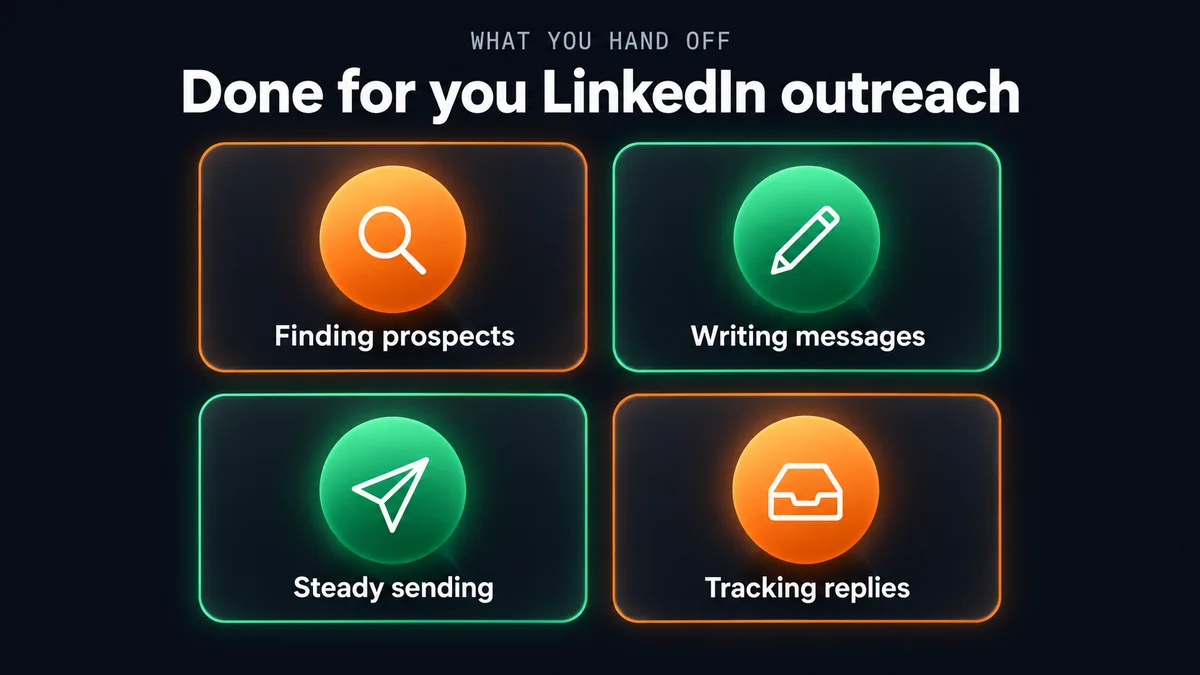
Done for you LinkedIn outreach pays off in the parts you no longer touch. In our setup, these move off your desk.
Finding and checking prospects
Building a list is slow. You search, open profiles, decide who fits, and write it down somewhere. Our system does the searching and checks each person against the ideal client description you gave us at the start. People who do not fit are left out before they are ever contacted, which protects both your reputation and your acceptance rate.
Writing the messages
Writing a good first message to a stranger takes more effort than people expect, and writing fifty of them a week is where most owners give up. Each message in our sequence is written for that prospect. It draws on what their profile says about their role and business. The tone follows the notes you gave us at onboarding, so it reads like your business rather than a generic sales script.
Sending on a steady schedule
Requests and follow ups go out at a conservative, steady pace every working day. There are no evenings spent catching up, and no quiet weeks because a client project ran long. Consistency is the main thing you are buying.
Tracking who said what
Once a few hundred people are in a sequence, keeping track by memory or spreadsheet falls apart. The dashboard shows who was contacted, who accepted, who replied, and where each person sits in the sequence. Genuine replies stop the sequence for that person automatically, so nobody who already answered gets an awkward extra follow up.
What you keep
Done for you does not mean you disappear from your own sales. Some parts should stay with you, and we design the service around that.
The conversations
When a prospect replies, you get a notification by email, or on WhatsApp if you add that option. From there it is your conversation. People on LinkedIn are replying to a person, and the best follow up comes from the person who will do the work with them.
The decisions about who and what
You decide who counts as a good prospect, which offer to lead with, and what you never want said on your behalf. We ask for this in detail at onboarding because the whole sequence is only as good as that description. If your offer or target changes, tell us and the targeting changes with it.
Your profile and your posts
Prospects who accept a request usually look at your profile before replying. A clear headline, a plain explanation of who you help, and a few recent posts all make a reply more likely. Outreach sends people to your profile. Your profile does the convincing. If posting consistently is also a struggle, our Content Automation service handles LinkedIn posting, and it pairs naturally with outreach.
Outreach brings people to your profile, and your profile decides whether they reply.
Account safety and LinkedIn’s own limits
The biggest worry owners raise about LinkedIn automation is losing their account. It is a fair worry. LinkedIn watches for unusual activity, and it limits how many invitations any member can send. Its own help page on reaching the invitation limit says the limits apply to Basic and Premium members alike, and that going over them can restrict an account from sending invitations, typically for one week.
That tells you what matters most: volume and pattern. Accounts get into trouble when they send large bursts of requests, fire off identical messages, or behave in a way no person would. A few habits keep risk low whether you run outreach yourself or hand it off:
- Send a modest number of requests each day rather than a large batch once a week.
- Keep your prospect list tight so more people accept, since a long list of unanswered requests looks like spam.
- Write messages that differ from person to person.
- Withdraw requests that have sat unanswered for a long time.
- Never hand your password to anyone, and avoid browser scripts that pretend to be you.
Our service is built around these habits. Sending is paced conservatively, and we connect to your account through a secure, official connection, not a password handed over and not a browser script. Account safety is the reason most people avoid this channel, so we treat it as the first design constraint rather than an add on.
7 questions to ask before you pay for done for you LinkedIn outreach
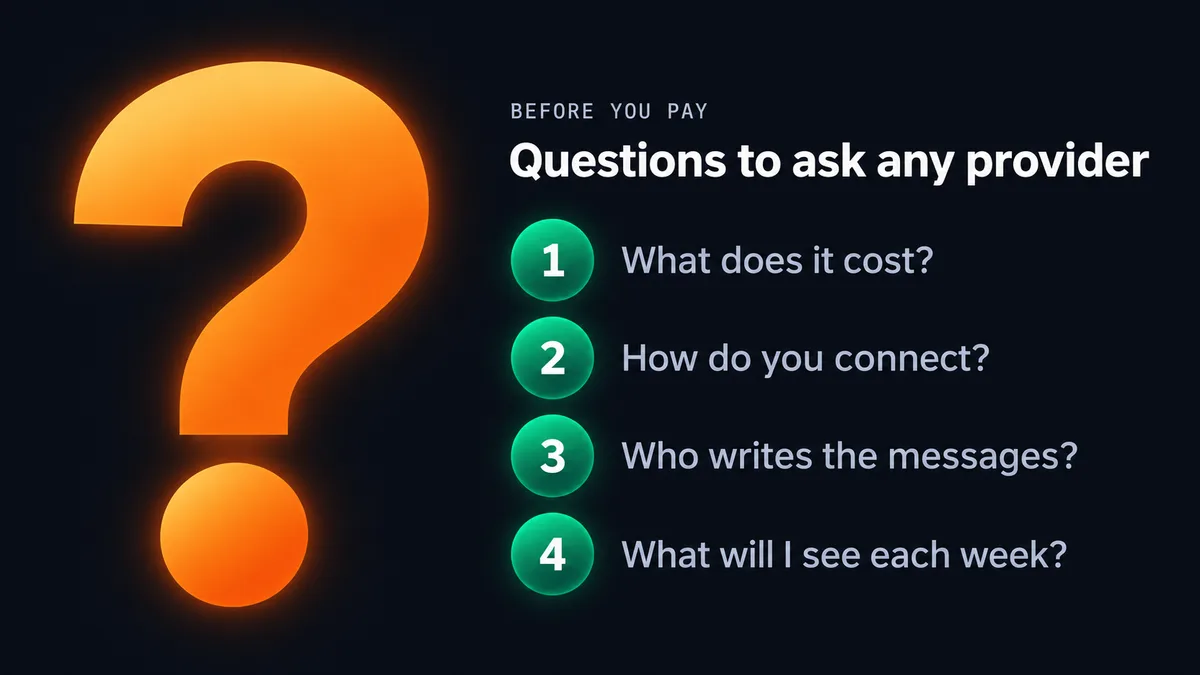
Whoever you consider, including us, these questions will tell you a lot in a short call or a quick read of their site.
1. What does it cost, in writing?
If the price is only available after a sales call, ask for the setup fee, the monthly fee, and anything billed on top. A provider who cannot put a number in writing makes comparison hard on purpose.
2. How do you connect to my account?
Ask whether they need your password, whether they use a browser extension, and how many requests they send per day. Vague answers here are a warning.
3. Who writes the messages, and can I see them?
You should be able to review sample messages before anything goes out, and you should be able to say what you never want said.
4. What will I see each week?
Ask for a look at the dashboard or report. You want requests sent, acceptances, replies, and a list of the named people, not a vague line saying the campaign is running.
5. What happens when someone replies?
Find out how you are notified, how fast, and whether the sequence stops for that person. Ask how they tell a person apart from an automatic away message.
6. How do you decide who to contact?
A good answer describes how prospects are checked against your ideal client. A weak answer is a large number with no explanation of fit.
7. What happens if it is not working?
Ask about contract length and refunds. A provider confident in the service should be comfortable with a short trial and no long lock in.
If a provider cannot tell you the price, the sending pace, and what you will see each week, keep looking.
A checklist for your first month
Once you start with any done for you LinkedIn outreach provider, these steps help you get the most from the first four weeks.
- Write down your ideal client in plain terms. Job titles, company size, industry, location, and one sentence on the problem you solve for them.
- Tidy your profile. Update the headline and the About section so a stranger understands who you help within a few seconds.
- Approve the message samples. Read them out loud. If a line sounds unlike you, change it now.
- Agree on how replies reach you. Email, WhatsApp, or both, and decide when in the day you will answer them.
- Prepare a booking link. When someone wants to talk, send them a link rather than trading messages about times.
- Check the dashboard weekly. Look at acceptances and replies, and tell the provider when the kind of person replying is not the kind you want.
- Judge after a few weeks, not a few days. Outreach needs enough conversations before patterns show.
Why steady outreach beats occasional bursts
Most small businesses that give up on LinkedIn outreach stop for one plain reason: it depended on their spare time, and spare time is the first thing a good month removes. The pattern repeats: a burst of activity, a handful of calls, a busy stretch of client work, then an empty calendar and another burst.
A steady weekly flow removes that cycle. Prospects are contacted every week, so conversations arrive every week, and new work lines up before the current work ends. That steadiness is what we built our outreach automations for. Across H3A, we have delivered 300+ projects and built 30+ automations, and our view after all of it is simple: owners rarely need a clever new channel. They need the channel they already know works to keep running when they are busy.
LinkedIn also works better alongside other channels. Our Email Outreach Automation reaches buyers who rarely check LinkedIn, and some businesses run both against the same ideal client. If you are weighing the cost of a salesperson against a system, we compared the two in AI outreach automation vs hiring. Coaches can find a step by step LinkedIn sequence with sample messages in our guide to LinkedIn outreach for coaches.
What it costs and what to do next
Our Social Outreach Automation covers LinkedIn, Instagram, or both. The prices are published:
- $299 one time setup
- $149 per month for one platform (LinkedIn or Instagram)
- $50 per month more to add the second platform, so $199 per month for both
- $29 per month for WhatsApp reply notifications, if you want them
There is no long term contract, and there is a 7 day trial with a full refund if you are not satisfied. If you want email and content running too, the Growth Bundle combines Email Outreach, Social Outreach, and Content Automation for $499 setup and $349 per month.
A sensible order of operations
Start with one platform. For most B2B service businesses that is LinkedIn. Tidy your profile, write your ideal client description, and run the sequence for a few weeks. Once replies are coming in and you are comfortable with the messages, decide whether a second platform or another channel is worth adding. Adding everything at once makes it hard to tell what is working.
FAQ
What is done for you LinkedIn outreach?
It is a service where a provider runs your LinkedIn prospecting for you. They find people who match your ideal client, send connection requests and follow up messages from your account, and tell you when someone replies. You handle the conversations and calls.
How is it different from a LinkedIn automation tool?
A tool is software you set up and run yourself, including the sequences, the prospect lists, and the safety settings. A done for you service handles all of that, and you only step in when a person replies.
Will done for you LinkedIn outreach get my account restricted?
LinkedIn limits invitations for every member, and accounts that send in large bursts are the ones that run into trouble. We pace sending conservatively and connect through a secure, official connection rather than a password or browser script, because account safety is the first thing we designed around.
Do the messages come from my own LinkedIn account?
Yes. The requests and messages are sent from your account, so replies arrive in your LinkedIn inbox and you are notified as soon as they arrive.
Can I review the messages before they go out?
Yes. Message style and what you never want said are agreed at onboarding, and you can ask for changes whenever your offer or your target changes.
How much does it cost?
Our Social Outreach Automation is $299 for setup and $149 per month for one platform. Adding the second platform is $50 per month more. There is no long term contract and a 7 day trial with a full refund.
Done for you LinkedIn outreach makes sense when you know LinkedIn is where your buyers are but prospecting keeps losing to client work. Hand off the searching, writing, sending, and tracking. Keep the conversations, your profile, and the decisions about who you want to work with. If that split sounds right for your business, you can see exactly how our service works and what it costs on the service page.