How to automate accounts receivable is a question that usually shows up the same way: someone on the team realizes they’ve spent another entire afternoon writing individual “just checking in on this invoice” emails, one customer at a time, and it hits them that this exact task repeats every single week. The real answer to how to automate accounts receivable is more achievable than most small business owners assume, and it’s genuinely one of the highest-leverage automations a small business can set up, because it’s directly tied to real cash coming in the door.
We help small businesses set this up often enough to walk through the real, practical version instead of a generic software listicle.
Quick answer: How to automate accounts receivable comes down to a real, repeatable message sequence: a friendly reminder a few days before an invoice is due, then escalating follow-ups at real intervals after it’s overdue, with everything stopping automatically the moment payment comes in. This is genuinely the same category of work as email outreach automation, just aimed at customers who already owe you money instead of prospects who don’t yet.
What’s covered
The real cost of manual accounts receivable
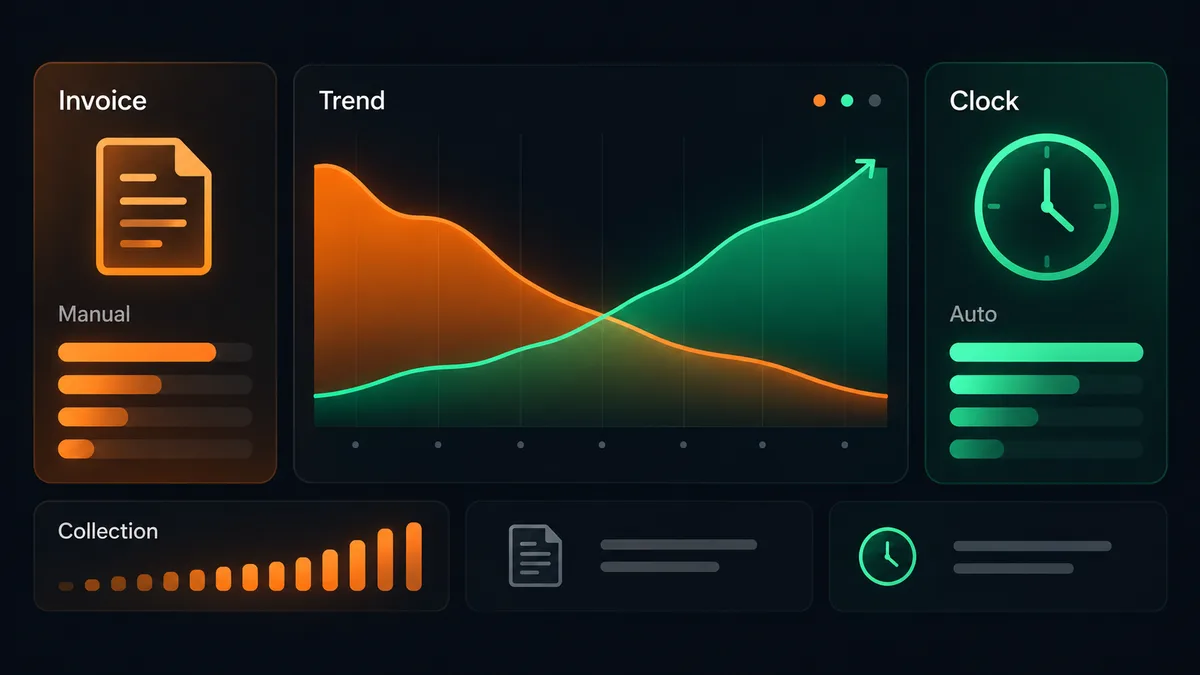
Real research on small business invoicing habits puts the average owner at roughly 5-8 hours a week on manual invoicing and collections follow-up, most of it spent creating invoices, tracking which ones are overdue, and writing individual follow-up messages by hand. That’s a genuinely large chunk of a working week spent on something that produces zero new revenue on its own, it just chases revenue that’s already been earned.
How to automate accounts receivable matters precisely because that real time cost repeats every single week, month after month, for as long as the business keeps invoicing manually. It’s not a one-time inefficiency, it’s a standing weekly tax on whoever owns collections.
The real cost beyond the hours themselves
The time cost isn’t the only real cost of manual accounts receivable. Inconsistent manual follow-up means some overdue invoices genuinely get chased promptly while others slip through simply because whoever handles it got busy that particular week. That inconsistency directly delays real cash coming into the business, and delayed cash has its own real cost, whether that’s a missed opportunity to reinvest it, tighter month-to-month cash flow, or simply more stress for whoever’s watching the bank balance. Learning how to automate accounts receivable properly addresses both costs at once: the time spent chasing, and the inconsistency that lets real revenue sit uncollected longer than it needs to.
The real reminder sequence that works
The honest, proven shape of an accounts receivable reminder sequence is simpler than most people expect. A friendly reminder one to three days before the invoice is actually due, respectful and non-confrontational since the payment isn’t even late yet. Then, if it goes unpaid, escalating follow-ups at real intervals after the due date, typically around 7, 14, 30, and 60 days overdue, with the tone shifting slightly firmer at each stage. Every reminder in the sequence stops automatically the moment payment is recorded, so nobody keeps getting chased for something they’ve already paid.
How to automate accounts receivable well isn’t about sending more reminders, it’s about sending the right reminder at the right real interval, and stopping the instant payment lands.
This exact sequence is what makes how to automate accounts receivable genuinely achievable without custom software: it’s a clear, repeatable set of rules (a due date, a series of real time intervals, a stop condition) rather than something that needs human judgment call by call.
Getting the real tone right at each stage
Part of how to automate accounts receivable well is matching the message’s real tone to how overdue the invoice actually is, not sending the same generic wording at every stage. The pre-due reminder should read as a helpful heads-up, nothing more. The first overdue message stays friendly but direct, simply noting the invoice is now past due. By the later stages, 30 and 60 days, the tone can shift firmer and more direct without becoming hostile, since a genuinely overdue balance is a real, serious matter for the business owed the money. Getting this progression right is as much a real writing task as it is a technical one.
Why this is really an email outreach problem

Here’s the real insight most accounts-receivable-specific tools don’t lead with: an invoice reminder sequence is structurally identical to any other automated email sequence, a trigger, a real time delay, a message, an escalation, a stop condition. That’s exactly the same shape as a cold outreach sequence or a re-engagement campaign, just pointed at a real, existing customer relationship instead of a cold prospect.
That’s why how to automate accounts receivable maps so directly onto our own Email Outreach Automation service. The underlying mechanism, timed message sequences that stop on a real trigger, is the same thing we already build and run for prospecting. Applying it to collections instead of prospecting isn’t a different category of automation, it’s the same real capability aimed at a different, equally valuable, real use case.
This connection matters practically, not just conceptually. A business that already has an email outreach automation running for prospecting has a genuine head start on how to automate accounts receivable, since the real infrastructure (a connected email account, a trigger-based sending system, delivery monitoring) is already built and proven. Adding a collections sequence on top of that existing foundation is a real, incremental addition, not a separate project built from scratch.
The most common mistake teams make
The most common real mistake is trying to redesign the entire billing and collections process in one attempt, changing accounting software, invoice templates, and reminder cadence all at once. That’s a real recipe for the whole project stalling out before anything actually ships. The better, proven approach is to start with one invoice type, one reminder sequence, and prove that it genuinely works before touching anything else. How to automate accounts receivable well follows the exact same one-thing-at-a-time discipline that applies across every category of business automation.
A second real mistake is setting the sequence up once and never revisiting it. Payment terms change, customers change, and a reminder sequence written a year ago may reference terms that no longer apply. A short, real periodic check that the sequence still reflects current terms is a small cost against the real risk of sending a customer a reminder with outdated information.
A third real mistake, specific to how to automate accounts receivable, is treating every customer identically regardless of their real payment history. A customer who’s paid every invoice on time for years deserves a lighter touch than one who’s chronically late, even within an automated system. Building in a small amount of real segmentation, rather than one rigid sequence applied uniformly to everyone, is what keeps how to automate accounts receivable from feeling robotic to your best, most reliable customers.
Setting it up yourself versus having it done for you
Building an accounts receivable reminder sequence yourself is genuinely achievable if your accounting software already has reminder functionality built in, or if you’re comfortable connecting a no-code tool to trigger real emails off invoice status. It takes real time to map the exact terms, write the actual reminder copy for each stage, and test it against real overdue scenarios before trusting it fully.
Done-for-you automation, the same category as our Email Outreach Automation service, exists for the more common real situation: a business that knows exactly which invoices keep going unpaid too long, but doesn’t have a free week to build, test, and maintain the sequence themselves. The mechanism gets built once, tested against real edge cases (a partial payment, a disputed invoice, a customer who pays right as a reminder goes out), and handed over already running.
A realistic timeline either way
Mapping your real current payment terms and typical customer behavior takes real time upfront, usually a few days of actually looking at how invoices tend to age in your specific business. Writing the actual reminder messages for each stage and connecting the trigger logic is the next phase, followed by testing against real scenarios like a partial payment or a customer disputing a charge. A realistic full build, whether done yourself or by a done-for-you partner, is one to two weeks, not a single afternoon, if it’s going to genuinely hold up once it’s running unattended.
What a genuinely finished setup actually looks like
A properly finished answer to how to automate accounts receivable looks quiet from the outside. Nobody on the team is manually tracking which invoices are overdue. Reminders go out on schedule without anyone remembering to send them. When a customer pays, the sequence stops the same day, not days later because someone forgot to update a spreadsheet. The measure of success isn’t a sophisticated dashboard, it’s whether real cash comes in faster and more consistently than it did under the manual process, with genuinely less real time spent by anyone on the team chasing it.
What to do next
Look honestly at how many real hours your team spends each week manually chasing overdue invoices. If that number is meaningful, how to automate accounts receivable is very likely worth solving now rather than later, since the cost repeats every single week it stays manual. If you’d rather have someone map your real terms, write the sequence, and test it for you instead of building it yourself, that’s exactly what a short call is for.
Whichever path you choose, don’t wait for a quieter month to start. The real cost of manual accounts receivable keeps accruing every week the process stays manual, while the real fix, once built properly, keeps paying back every week after that. How to automate accounts receivable is one of the rare automations where the payoff shows up directly in real cash flow, not just in time saved, which makes it a genuinely strong place to start if you haven’t automated anything yet.
Frequently asked questions
Does automating accounts receivable feel impersonal to real customers?
Not when the reminder copy is written well. A friendly pre-due reminder and a respectful early-overdue message read as genuinely helpful, not aggressive, and most customers appreciate a clear, consistent reminder over an inconsistent, ad hoc one that only shows up when someone remembers to send it. Getting how to automate accounts receivable right actually improves the customer experience rather than harming it.
What happens if a customer disputes an invoice mid-sequence?
A well-built how to automate accounts receivable setup includes a real, manual pause option, so a disputed invoice can be pulled out of the automated sequence immediately rather than continuing to send reminders on a charge that’s actively being discussed.
Do I need new accounting software to automate accounts receivable?
Not necessarily. Many existing accounting platforms already support reminder automation, or can be connected to a separate reminder tool. How to automate accounts receivable is more often a configuration and sequencing question than a software-replacement one, and starting from what you already have is usually the faster real path.
Can the same reminder sequence work for every customer?
Mostly yes, with room for a few real segments, a large recurring client might get a different tone than a one-time customer. The core sequence structure (pre-due, then escalating overdue reminders) stays the same across almost every real small business situation, which is exactly why how to automate accounts receivable scales well as a business grows.
Is this the same thing as debt collection?
No. How to automate accounts receivable, in the sense covered here, is about polite, timely reminders for invoices that are still within a normal follow-up window, not formal collections for accounts that are seriously delinquent. Those are genuinely different processes with different real tones and legal considerations.
How quickly does automating accounts receivable actually improve real cash flow?
Most businesses see a real, noticeable shift within the first full billing cycle after the sequence goes live, since the consistency of automated reminders alone tends to pull in payments that would otherwise have slipped past their due date unnoticed. Learning how to automate accounts receivable properly is one of the faster-paying-off automations a small business can set up.
The real takeaway: how to automate accounts receivable is a genuinely solvable problem built on the same real mechanism as any other email outreach sequence, a clear trigger, real time intervals, and a stop condition. Getting the sequence right matters more than which specific tool sends it, and once it’s built properly, it removes a real, recurring weekly cost that most small businesses have simply learned to live with.