You can write the best cold email in your sequence and it still never gets read, because it never reached the inbox. Cold email deliverability decides that outcome before your subject line or your offer gets a chance to. A message that lands in spam gets the same zero response as a message you never sent.
Most guides on this topic hand you a list of a dozen or more tweaks and leave you guessing which ones actually matter for a small business sending a few hundred emails a month, not the volume an enterprise sales team pushes out. This post covers what decides whether your emails reach an inbox, the domain setup step that gets skipped most often, and what changes once someone else is running the sending for you.
Email deliverability for a small business looks different from deliverability at enterprise scale. You are not managing a dozen sending domains or a dedicated deliverability team. You are one owner or a small team trying to get a steady flow of real conversations going, usually with limited time to spend on DNS records and sending schedules. The fixes below are written with that reality in mind, not a large sales organization’s problem.
Quick answer: Cold email deliverability is whether your outreach actually lands in the inbox instead of spam, and it comes down to three things: your domain’s authentication (SPF, DKIM, DMARC), how fast you ramp up sending volume on a new domain, and how clean your list and copy are. Fix the technical setup and the sending pace first. Copy only matters once the email is actually being delivered.
What’s covered
- What cold email deliverability actually means
- The three records that decide if Gmail trusts your domain
- Sending pace: why volume breaks more domains than bad copy
- Warming up a new domain before you send anything cold
- The other reasons cold emails go to spam
- A deliverability checklist before your next campaign
- Why deliverability decides whether outreach automation works at all
- Doing this yourself vs having it handled
- FAQ
What cold email deliverability actually means
Deliverability is the share of the emails you send that actually land in the primary inbox, not the share that get opened. Those are two different numbers, and mixing them up is where a lot of cold email advice goes wrong. An email can be delivered and still sit in spam, in a promotions tab, or in a folder the recipient never checks. Deliverability measures whether the message reached a place a person will see it at all.
Gmail, Outlook, and every other major provider run automated spam filters that score each message before a person ever sees it. That score looks at your domain’s history, your sending pattern, your list quality, and your content, all at once. A single well written email cannot outweigh a domain with a poor sending history. This is why deliverability problems often get blamed on copy when the actual cause is technical.
Google publishes its own email sender guidelines for anyone sending to Gmail accounts, and the numbers in it are worth knowing even if you never read the whole page. Google asks every sender to keep the spam complaint rate reported in Postmaster Tools under 0.3 percent, and recommends staying under 0.1 percent. Cross that line often enough and Gmail starts routing your mail to spam automatically, regardless of what the email says.
The three records that decide if Gmail trusts your domain
Before a spam filter reads a single word of your email, it checks whether your domain is who it claims to be. Three DNS records do that job: SPF, DKIM, and DMARC. Skip them and every email you send starts the scoring process already behind.
SPF (Sender Policy Framework)
SPF is a DNS record that lists which mail servers are allowed to send email on behalf of your domain. When a receiving server gets a message claiming to be from you, it checks the sending server against your SPF record. No match, and the message looks like it could be spoofed.
DKIM (DomainKeys Identified Mail)
DKIM attaches a digital signature to every email you send, generated from a private key only your sending system holds. The receiving server checks that signature against a public key published in your DNS. A valid signature tells the receiving server the message was not altered in transit and genuinely came from your domain.
DMARC (Domain-based Message Authentication, Reporting and Conformance)
DMARC sits on top of the other two. It tells receiving servers what to do with a message that fails SPF or DKIM, and it can send you reports showing who is sending email using your domain, including anyone impersonating you. Google’s own guidance requires SPF, DKIM, and DMARC for any sender pushing more than 5,000 messages a day to Gmail accounts, and recommends all three for smaller senders too.
None of these three records is complicated to set up on its own. What trips people up is that all three need to be published correctly at the domain level, and a mistake in any one of them can quietly cap your deliverability without throwing an obvious error anywhere.
A missing DMARC record does not throw an error. It just means your email quietly loses trust every time it is sent.
Sending pace: why volume breaks more domains than bad copy
Authentication gets you in the room. Sending pace decides whether you get to stay. A domain that suddenly sends five hundred emails in one day looks nothing like a real business, and every major inbox provider treats that pattern as a signal worth flagging, authentication or not.
The working guidance across real cold email operators lines up closely: cap daily sends at roughly thirty to fifty per mailbox, rotate across more than one mailbox rather than pushing volume through a single account, and watch your bounce rate closely. A bounce rate above three percent is treated as a sign your list needs cleaning before you send anything else. A spam complaint rate above 0.1 percent is the threshold where providers start applying real penalties to future sends, matching the same number in Google’s own published guidance above.
This is also why a dedicated sending domain, separate from your main business domain, is worth setting up before you send your first cold email. If a batch of cold outreach damages a domain’s reputation, you do not want that domain to be the one your existing customers and invoices depend on.
Sender reputation is the underlying score every inbox provider keeps on your domain and your sending IP, built up from every send you have ever made. It rises slowly with consistent, well received sending, and it drops fast after a spike in bounces or complaints. A domain with a strong sender reputation gets the benefit of the doubt on a borderline email. A domain with a damaged one gets filtered even when the message is genuinely useful to the person receiving it. Rotating outreach across a few mailboxes on the same warmed domain, rather than pushing all your volume through one account, spreads that risk instead of concentrating it.
Warming up a new domain before you send anything cold
A brand new domain and mailbox has no sending history at all, and inbox providers treat that as a reason for caution rather than trust. Warmup is the process of building a sending history gradually, so that by the time you start real outreach, the domain already looks like it belongs to an active, legitimate sender.

A working warmup schedule looks something like this. In the first week, a new mailbox sends a small number of emails a day, often to addresses that will open and reply, building a real history of opens and replies rather than raw volume. Over the following two to three weeks, that volume increases gradually rather than jumping straight to a full sending schedule. By the time you reach four weeks, most mailboxes can handle a steady daily volume without triggering the pattern that gets flagged as suspicious.
Skipping this step is the single most common reason a brand new domain gets buried in spam within its first week of cold outreach. The emails were not badly written. The domain simply had no history to earn the benefit of the doubt.
The other reasons cold emails go to spam
Authentication and pace handle the biggest share of the problem, but a handful of other habits keep showing up in every real teardown of a deliverability issue.
- Unverified or purchased lists. A list with a high rate of dead or invalid addresses drives your bounce rate up fast, and bounces are one of the clearest negative signals a spam filter reads.
- Sending the identical email to a large list. Inbox providers can detect near identical messages sent at volume, even across different recipients, and treat the pattern as bulk mail rather than a personal message.
- Heavy use of links and images in a first email. A cold email packed with tracking links, attachments, and images reads more like a marketing blast than a message from one person to another.
- No way to reply or opt out. A message that looks like it cannot be responded to, or gives no way to stop future emails, is more likely to be reported, and reports hurt your domain far more than a single unopened email ever could.
- Sending from your everyday business inbox. Mixing cold outreach into the same mailbox you use for invoices and client replies puts your core business communication at risk if that outreach gets flagged.
One bounce in a hundred is normal wear on a list. One bounce in twenty tells a spam filter the list was never checked.
Our own Email Outreach Automation service treats reply and bounce handling as something that happens the moment it occurs, not something you check for manually at the end of the week. A reply stops that person’s sequence automatically, and a bounce gets caught and handled the same way, so a bad address never keeps getting hit after the first failure.
A deliverability checklist before your next campaign
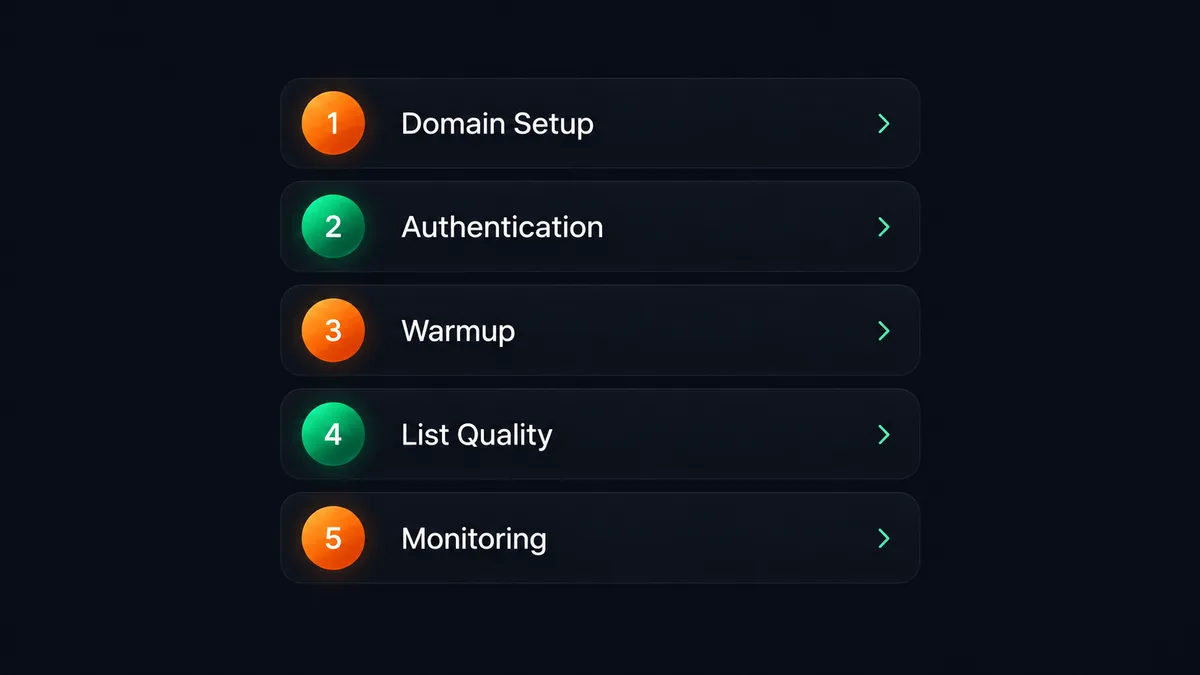
Run through this before you send your next batch of cold email, whether you are running the campaign yourself or reviewing one that is already live.
- A dedicated sending domain, separate from your main business domain and website.
- SPF, DKIM, and DMARC published and verified for that domain, not just started and left half finished.
- A completed warmup period of two to four weeks before real outreach volume begins.
- A verified list, checked for dead addresses before the first send, not after the bounces show up.
- A sending cap per mailbox, kept in the thirty to fifty email range rather than pushed as high as the platform allows.
- Personalized copy that varies between recipients, not one message pasted to an entire list.
- A clear way to reply or opt out in every message you send.
- Bounce and complaint rates monitored on an ongoing basis, not checked once at setup and forgotten.
Why deliverability decides whether outreach automation works at all
A cold email tool can write good sequences, schedule perfect follow ups, and track every reply, and none of it matters if the emails are landing in spam. Deliverability is not one item on a checklist. It is the floor every other part of outreach sits on top of.
This is also the part of email outreach that gets skipped most when a business runs it in house. Writing an email sequence is something most owners can do in an afternoon. Setting up SPF, DKIM, and DMARC correctly, running a proper warmup schedule, and monitoring bounce and complaint rates every week is a different kind of work, closer to ongoing infrastructure than a one time task.
It also does not stay fixed once it is set up. A domain that passes every check today can slip if sending volume creeps up too fast, if a list goes stale, or if a complaint rate ticks past the threshold during a busy month. Deliverability needs someone watching it on an ongoing basis, not a setup step you complete once and never revisit.
Across H3A, we have delivered 300+ projects and built 30+ automations, and deliverability shows up as a recurring, quiet cause behind outreach that looks broken on the surface but is actually a technical setup problem underneath. It is rarely the offer or the writing. It is almost always the plumbing nobody checked.
Outreach also works better when it runs alongside other channels rather than carrying the whole job alone. If LinkedIn is where your buyers actually spend time, our guide to done for you LinkedIn outreach covers the same by hand, tool, or service decision for that channel. And if you are weighing the cost of a full time hire against a system that runs itself, we compared the real numbers in AI outreach automation vs hiring.
Doing this yourself vs having it handled
Running deliverability yourself is entirely possible. It asks for a real, ongoing time commitment: setting up DNS records correctly, running a multi week warmup schedule before you send anything at scale, watching bounce and complaint rates every week, and catching problems before they tank a domain you might need for months.
Our Email Outreach Automation handles that setup as part of onboarding rather than leaving it for you to research and configure. Sending limits and pacing are built in from day one to protect your domain’s reputation, not just to push volume. Replies and bounces are caught and handled the moment they happen. You watch a dashboard that shows your real reply rate and full lead by lead breakdown, and you are notified the moment a genuine reply comes in.
The service is priced at $249 for setup and $149 a month, covering up to 1,000 leads contacted monthly, with no long term contract. There is a 7 day trial, and a full refund if it is not working the way it should.
FAQ
What is cold email deliverability?
Cold email deliverability is the share of your outreach emails that land in the recipient’s inbox instead of spam, promotions, or nowhere at all. It depends on domain authentication, sending pace, and list quality, not just the quality of the writing.
How long does it take to warm up a new domain?
A working warmup schedule generally takes two to four weeks, starting with a small daily volume and increasing gradually. Sending real cold email volume before that period is finished is the most common reason a new domain lands in spam.
Will SPF and DKIM alone keep me out of spam?
They help, but they are not the whole picture. Google’s own sender guidelines call for SPF, DKIM, and DMARC together for larger senders, alongside a healthy sending pace and a low spam complaint rate. Authentication earns you trust. Sending behavior keeps it.
What bounce rate is too high for cold email?
A bounce rate above three percent is generally treated as a sign your list needs cleaning. Consistently high bounces damage a sending domain’s reputation and lower deliverability for every email you send afterward, not just the ones that bounced.
Does a done for you service handle deliverability, or is that still on me?
With our Email Outreach Automation, the technical setup, including domain authentication and sending pace, is handled as part of onboarding. You give us access to your sending domain and tell us who you are looking for. We handle the rest, including the groundwork that protects your sending reputation.
How much does H3A’s Email Outreach Automation cost?
It is $249 for one time setup and $149 a month, covering up to 1,000 leads contacted monthly. There is a 7 day trial with a full refund if it is not working the way it should.
Cold email deliverability is not a copywriting problem. It is a technical and behavioral one, decided by your domain’s authentication, how fast you ramp up sending, and how clean your list stays over time. Get the plumbing right first, and the sequence you write actually has a chance to be read. If you would rather have the setup, the pacing, and the monitoring handled for you, you can see exactly how our service works and what it costs on the service page.