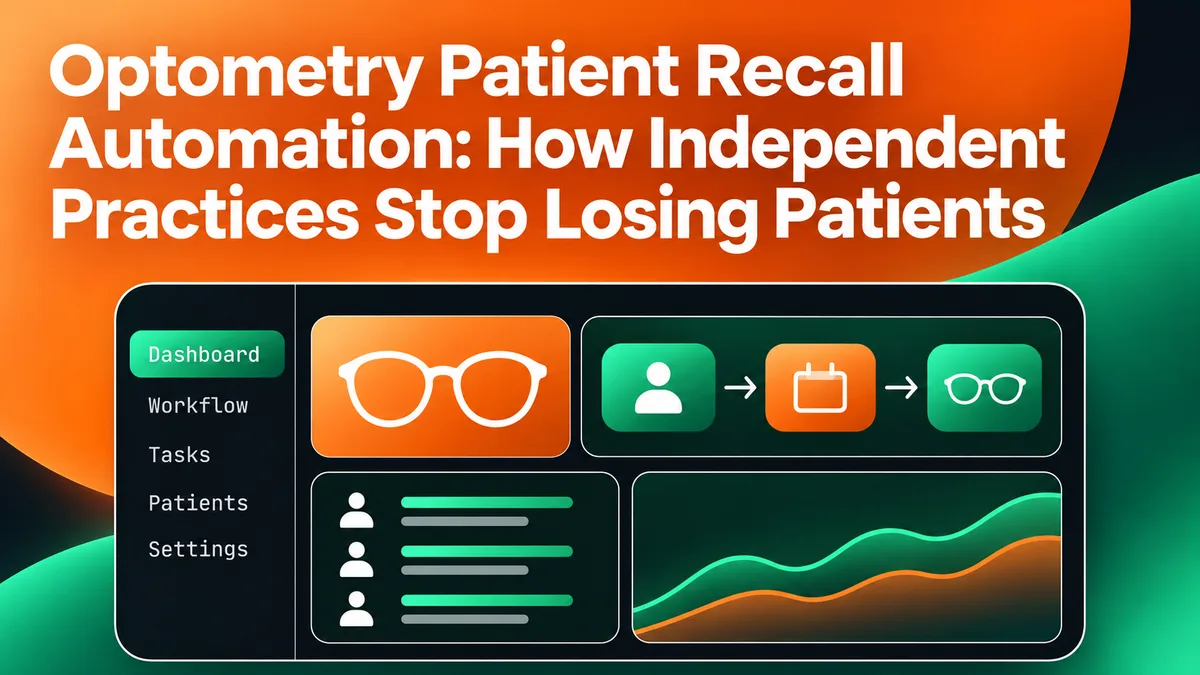
Most independent optometry practices keep a full schedule the week after a recall postcard goes out, then watch that same list go quiet again by month three. Without optometry patient recall automation running in the background, the problem is rarely that patients forgot their eyes exist. It’s that nobody in the practice has the hours to track exam dates, write individual reminders, and follow up on the ones who never book, week after week, on top of everything else running the front desk.
- What optometry patient recall automation is
- Why patients fall out of the recall cycle in the first place
- The real cost of a lapsed patient list
- How an automated recall sequence works
- Eye exam reminder automation versus a manual recall list
- What a done-for-you recall and reactivation system adds
- A recall automation checklist before you build or buy
- Why this matters more for independent practices specifically
- What to do next if your recall list is a mess
- FAQ
What optometry patient recall automation is
Optometry patient recall automation is software and messaging rules working together to flag who is due for an exam, a contact lens reorder, or a vision plan renewal, then send the reminder itself instead of waiting for front desk staff to notice. The system pulls the patient’s last exam date, prescription type, and insurance renewal window, applies a clinical rule (annual exam, myopia control check-in, dry eye follow-up), and triggers a text or email at the right moment without anyone opening a spreadsheet.
That is the part that separates recall automation from a one-time postcard campaign. A postcard campaign runs once and stops. Recall automation runs on a calendar, every day, checking every patient’s due date against the clinical rule and sending the next message in the sequence automatically.
Why patients fall out of the recall cycle in the first place
It is almost never a satisfaction problem. Patients who had a good exam and a clear explanation of their prescription do not avoid the practice on purpose. They forget. Life gets busy, the reminder card gets thrown out with the mail, and twelve months becomes fourteen, then eighteen, and eventually the patient books with whichever practice happens to be top of mind when their eyes start bothering them.
Front desk teams know this. The honest reason recall slips is capacity, not care. Pulling a list of everyone due in the next 30 days, writing a message that does not read like a form letter, sending it, and then tracking who booked takes real time every single week. When the schedule is full of same-day exams and walk-ins, recall is the task that gets pushed to “later” and later rarely comes.
The real cost of a lapsed patient list
Industry data on optometry scheduling puts the share of patients who do not return for their next annual exam without a recall nudge at 25 to 35 percent. That is roughly one in three active patients going quiet every year, not because the practice did anything wrong, but because nobody closed the loop after the appointment ended. The same mechanics drive optometry no-show reduction on the appointments that do get booked: a patient who already forgot their due date is also more likely to forget the exam they eventually scheduled.
The same research shows the fix is not complicated, just consistent. Well-run recall programs recover 15 to 35 percent of patients who had already gone lapsed, and practices with a tuned four-touch sequence report annual recall capture rates in the 75 to 85 percent range. One vendor in this space, Weave, reports clients using its recall messaging seeing recall rates above 50 percent, and documents one optometry clinic client that added about $70,000 in revenue over a year from recall reminders alone. That is a single vendor’s own case example, not an industry average, but it is a real, published number worth knowing the source of before repeating it.
Put in plain terms: a practice seeing 1,200 active patients a year that loses 30 percent to silent lapse is losing contact with roughly 360 people who would have booked if someone had simply reminded them in time. Recovering even half of that gap through recall automation, without adding a single new patient acquisition cost, is the single best use of a recall system: revenue that is otherwise just sitting unclaimed on a patient list.
How an automated recall sequence works
A working recall sequence is not one reminder. It is a short series of touches that escalates in urgency and switches channel if the first attempt does not land, then hands off to a separate reactivation track if the patient still has not responded after the normal window closes.
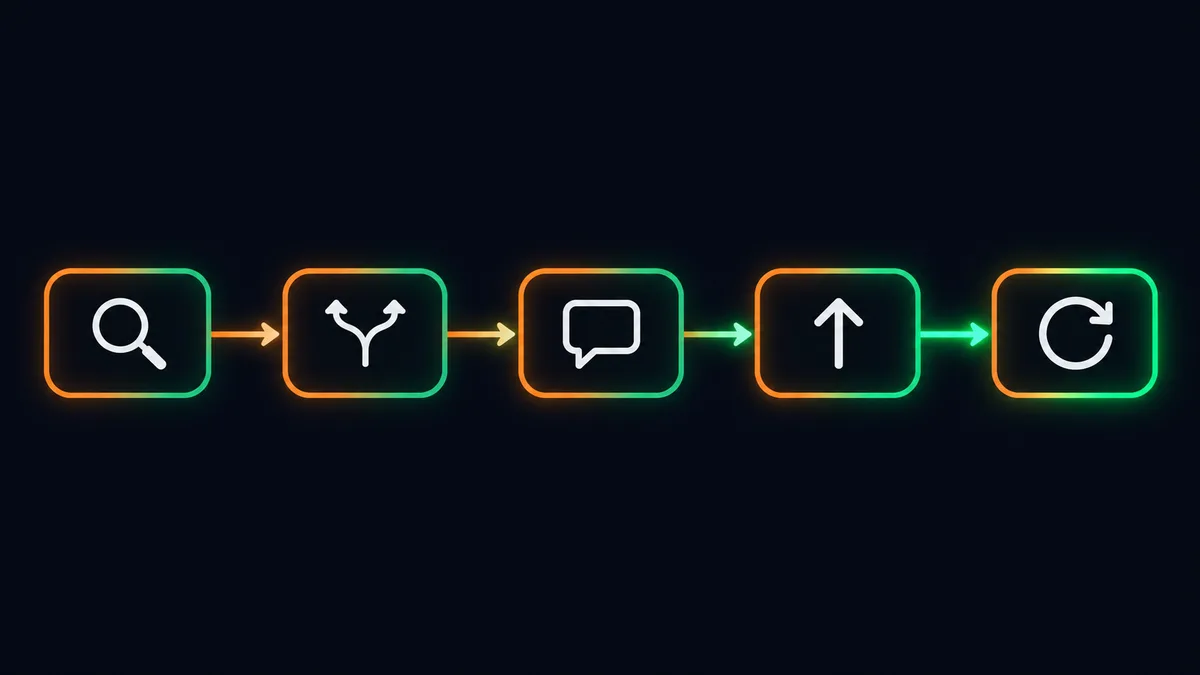
In practice, the stages look like this:
- Identify who is due. The system checks last exam date, contact lens supply, and plan renewal date daily, not once a quarter.
- Segment by patient type. A myopia control patient on a 6-month check-in needs a different message timing than a routine annual-exam adult, so the rule has to branch, not treat every patient the same.
- Send the first reminder on the right channel. Text for speed, email for patients who prefer it, timed to when people read messages rather than the middle of a workday.
- Escalate if there is no response. A second message with a slightly more direct call to book goes out, then a third if needed, on a schedule, not a guess.
- Move unresponsive patients into a reactivation track. Patients who pass the normal recall window without booking get a separate, longer-cycle sequence instead of being dropped from the list entirely.
The mechanics are the same shape as patient reactivation work we have described for other healthcare practices: a scheduled, multi-touch sequence that keeps working on a list long after a single reminder would have been forgotten. We broke down that exact reactivation pattern for chiropractic practices in our chiropractic patient reactivation automation guide, and the underlying mechanic transfers directly to an optometry recall list.
Channel choice inside that sequence matters more than most practices assume. Jelo’s own 2026 recall data puts text message open rates at 90 to 98 percent, with 15 to 30 percent of those texts converting into an actual booking click, numbers email alone rarely reaches on its own. That is why a working sequence leads with text for the first touch and reserves email as a backup channel for patients who have opted out of texting, rather than treating the two channels as interchangeable.
Eye exam reminder automation versus a manual recall list
Most independent practices do not lack a recall list. They have one, usually a spreadsheet or a report pulled from their practice management software once a month. What they lack is the staff time to act on it consistently every single week, which is the actual difference between a recall list and eye exam reminder automation that runs itself.
A manual list depends on someone remembering to open it, write individual or batch messages, send them, and then track who booked versus who did not, all while handling a full day of patients. A missed week does not show up anywhere. It becomes a slightly larger backlog that nobody notices until the schedule has more open slots than it used to.
Automated recall removes the “someone has to remember” step entirely. The rule runs daily whether the practice is slow or buried, messages go out on schedule, and the only task left for staff is handling the patients who reply, which takes far less time than building the list in the first place.
What a done-for-you recall and reactivation system adds
Most of the recall tools covered in the research above, including RevolutionEHR’s RevEngage, Weave, Doctible, and Jelo’s own 2026 recall playbook, are software you configure and run yourself, which is a real option if a practice has someone with the time to own campaign setup, sequence timing, and ongoing tuning. That is a genuine, fair tradeoff, not a knock on those products.
What we run for clients through our email outreach automation is the sequencing and reactivation mechanics described above, built and run for the practice rather than configured by the practice. We set up the multi-step sequence, the escalation timing, and the reply handling so a response pauses the sequence automatically instead of sending an awkward follow-up to someone who already booked. The practice gets a dashboard showing who is in the pipeline and who replied. Nobody on staff has to log in and manage a campaign.
The setup cost is a flat $299 one time, with a $149 monthly fee that covers up to 1,000 contacted patients a month, and a 7-day trial after go-live with a full refund if it is not working the way it should. There is no “book a call to find out” pricing page, because the point of running this ourselves is giving a real number upfront instead of asking a practice to guess.
A recall automation checklist before you build or buy
Whether a practice builds automated recall for eye care inside existing practice management software or brings in a done-for-you system, the same questions decide whether it will work:
- Does it pull real exam and renewal dates automatically, or does someone still have to export and check a list by hand?
- Does it branch by patient type, so a myopia control patient and a routine annual patient get different timing instead of one blanket schedule?
- Does a reply stop the sequence automatically, so a patient who already booked does not get a second reminder that reads as careless?
- Is there a separate reactivation track, for patients who pass the normal recall window without booking, instead of just dropping them?
- Can staff see what is happening, through a real dashboard, without needing to ask someone to pull a report?
- Who owns tuning it over time, adjusting message timing and copy as results come in, once the first campaign goes out?
Why this matters more for independent practices specifically
A large multi-location chain can absorb a sloppy recall process because volume covers the gaps. An independent, owner-run practice cannot. Every lapsed patient is a bigger share of that practice’s total active list, and every missed exam slot is revenue that does not come back on its own.
Independent practices also compete against chains that already run recall automation as a standard part of their practice management stack, not an upgrade someone has to think about. A practice that still relies on a once-a-quarter postcard mailing is not just losing patients to forgetfulness. It is losing them to whichever competitor reminded them first.
We have now built and run more than 30 automations across 300 or more client projects, almost all of them some version of this same problem: a good business with no system reliably following up on the people who already trust it. Patient recall and reactivation for an optometrist practice, renewal reminders for a plumbing maintenance plan, review follow-up for a chiropractic clinic. The clinical details change. The gap that lets revenue lapse without anyone noticing does not.
This is the same structural gap we have written about for other independent healthcare practices: the clinical work is excellent, but the follow-up system that keeps patients coming back year after year gets built last, if it gets built at all. We covered the search-visibility side of that same gap for this niche in our guide to AI search visibility for independent optometrists, which looks at getting found by new patients. Recall automation is the other half of the same problem: keeping the patients you already have.
What to do next if your recall list is a mess
Start by pulling an honest number: how many active patients are past their exam due date right now, with no scheduled follow-up in motion. Most practices have never counted this, and the number is usually larger than anyone expects.
From there, the decision is simple even if the follow-through is not. Either someone on staff gets dedicated, protected time every week to run recall by hand, or the sequence runs itself through software the practice configures, or it runs itself through a done-for-you system built and maintained by someone else. All three can work. The one that does not work is the default fourth option: no system at all, just hoping patients remember on their own.
If the honest answer is that nobody has the hours to own this internally, that is exactly the gap our email outreach automation is built to close, with the sequencing and reply handling already described above running in the background every day.
FAQ
What is optometry patient recall automation?
It is a system that tracks each patient’s last exam date, lens supply, and plan renewal, then sends scheduled reminders automatically on a fixed schedule instead of relying on staff to notice and act manually.
How much does recall automation reduce no-shows and lapsed patients?
Published research on this specific question points to 15 to 35 percent of lapsed patients recovered through a well-run recall sequence, with annual recall capture reaching 75 to 85 percent for practices with a tuned, multi-touch program.
Is this the same as sending appointment reminder texts?
No. An appointment reminder confirms a visit that is already booked. Recall automation is what reaches out before an appointment exists, to a patient who is due but has not scheduled anything yet.
Can I build this inside my existing practice management software?
Often yes, if the platform supports rule-based triggers and someone on staff has the time to configure, launch, and tune the sequence. That is a legitimate path for a practice with staff time free to own it.
What happens to patients who do not respond to any reminder?
A properly built sequence moves them into a separate, longer-cycle reactivation track rather than dropping them from outreach entirely, since a non-response to three messages is not the same as a patient who wants to be removed from the list.
Does recall automation replace the front desk team?
No. It removes the repetitive list-building and message-sending work so the front desk spends their time on patients who reply and need to be scheduled, which is a better use of a trained team than manually tracking due dates.
A recall list only creates revenue once someone reminds the patient on it. Whether that reminder comes from a staff member with protected time, software a practice configures itself, or a system we build and run for the practice, the patients who never come back to a healthy eye care business are almost always the ones nobody reminded, not the ones who left on purpose.