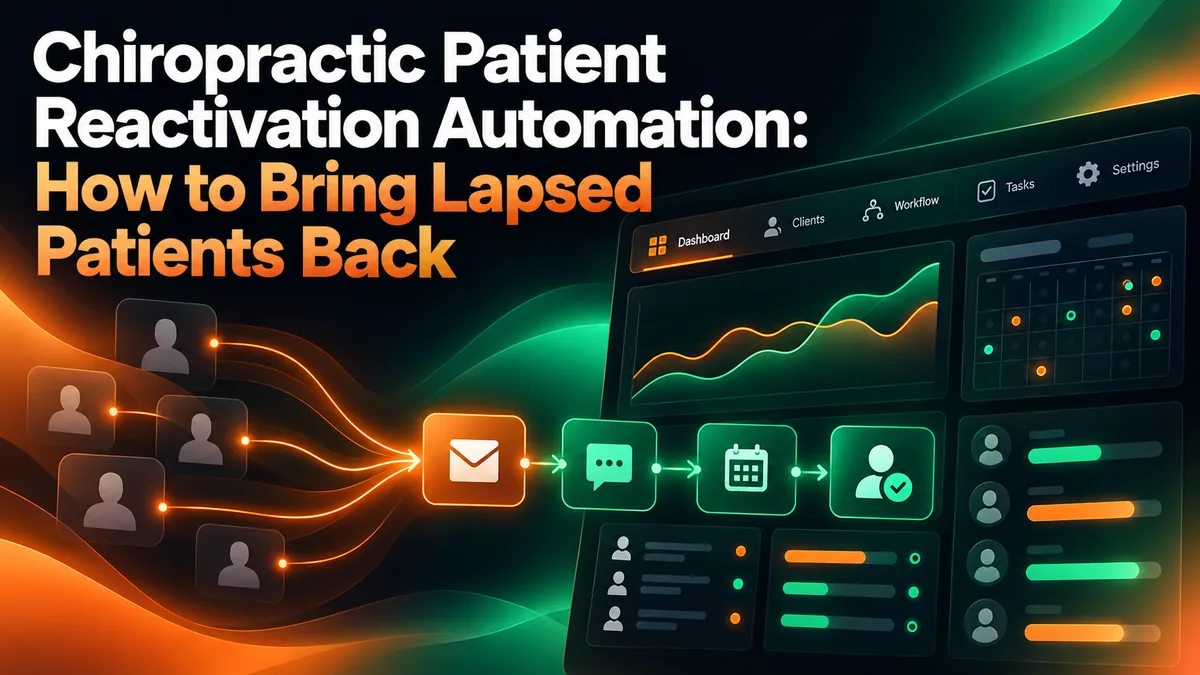
A chiropractic schedule can look full for months and still be losing real money every week without anyone noticing, because a full schedule only counts the patients still showing up. Chiropractic patient reactivation automation exists for everyone else: the patient who finished a care plan in March and never rebooked, the one who stopped after two visits, the one who moved an appointment twice and then stopped answering the phone. Most practices only notice this gap when a slow month arrives and nobody on staff can say why.
We work with chiropractic practices through our own outreach automation, and the pattern repeats across almost every clinic we look at. New patients get a warm welcome and a clear plan. Lapsed patients get nothing, because nobody owns the job of reaching back out once the schedule stops refilling itself. This post walks through what a real reactivation sequence looks like, why it works better than a single no-show reminder, and where the line sits between running it yourself and having it handled.
Quick answer: Chiropractic patient reactivation automation is a scheduled sequence of texts and emails sent to patients who have stopped booking, grouped by how long they have been away, so each lapsed patient gets a short, low-pressure nudge instead of silence. It runs in the background once set up, stops the moment a patient replies, and only pulls staff in for an actual conversation. Done consistently, it brings back a real share of the patients a practice has already paid once to acquire.
What’s covered
- What chiropractic patient reactivation automation actually does
- Why lapsed patients are a quieter problem than no shows
- The four lapsed patient tiers worth treating differently
- The real chiropractic patient reactivation automation sequence
- A short checklist before you send anything
- Why this matters more than chasing new patients
- Doing this yourself vs having it handled
- What to do next
- FAQ
What chiropractic patient reactivation automation actually does
Chiropractic patient reactivation automation is not a single blast email asking patients to come back. It is a standing system that watches patient records for a trigger, usually a gap of 60, 90 or 180 days since the last visit, and then starts a short, pre-written sequence built for that specific gap. A patient gone 60 days gets a different message than one gone two years, because the right tone and the right offer change with the gap.
The mechanics matter less than the discipline behind them. A practice management system or a dedicated outreach tool pulls the list on a schedule, a message goes out, a reply pauses the sequence instantly, and a staff member only steps in once there is an actual person to talk to. Nobody has to remember to run a lapsed patient recall chiropractor campaign by hand every month, because the system already knows who qualifies.
This is distinct from a one-time no-show reminder, which only protects an appointment already booked. Reactivation automation goes further back in the funnel, to the patient who never rebooked in the first place and has drifted off the schedule entirely, without a single follow up conversation.
Why lapsed patients are a quieter problem than no shows

No-shows get attention because they leave an obvious hole in the day. Lapsed patients do not, because the slot they would have filled was never booked at all, so there is nothing on the calendar to point at. That is exactly why the cost adds up without anyone noticing. Industry research on missed appointments and chiropractic no-show reduction, compiled from GHL Chiropractor Snapshot’s 2026 reminder and recovery data, puts the annual cost of no-shows and cancellations at $15,000 to $40,000 for a single practice, and finds that consistent automated reminders can cut missed appointments by as much as 50 percent.
A full appointment book only tells you who is still coming. It says nothing about who already left.
The deeper number is about acquisition cost, not just missed slots. Healthcare-wide research referenced by TrackStat’s patient reactivation research puts the average cost of acquiring a new patient at $286, and notes it runs five to twenty five times more expensive to win a new patient than to bring back one who already trusted the practice once. A lapsed patient recall chiropractor sequence is cheap by comparison, mostly staff time to set up once and a message fee per send, against a patient the practice has already paid to acquire.
The same research found that 85 percent of patients say they are more likely to return to a provider that offers texting, which matters because text is the channel most reactivation sequences lean on first. A patient who ignores a phone call will often read and respond to a text within minutes.
The four lapsed patient tiers worth treating differently
Not every lapsed patient needs the same message, and sending one generic blast to everyone who has not booked in a year wastes the strongest leads on the weakest message. A workable patient reactivation campaign splits the list into tiers based on how long a patient has been gone, then matches tone and channel to each one.

- Recently drifted, 30 to 90 days. The strongest response rates sit here. A short text referencing the care plan they were on usually gets the fastest reply.
- Lapsed, 4 to 12 months. Still a solid response rate. A text followed by a short email a few days later, with no pressure language, works better than one channel alone.
- Dormant, 1 to 3 years. Response drops but is not zero. Lead with email, since a text out of nowhere after this long can read as odd, then follow with a text if there is no reply.
- Cold archive, 3 or more years. Treat this group almost like a new patient message. Email only, framed around what has changed at the practice rather than assuming the patient remembers their old file.
This is the same segmentation discipline a well-run email outreach automation system already applies to new prospects, scoring and sequencing contacts instead of treating every name on a list the same way. Lapsed patients respond to that same logic, because a message that matches where someone actually is gets read differently than one that assumes nothing has changed.
The real chiropractic patient reactivation automation sequence
Once patients are sorted into tiers, the sequence itself follows a simple, repeatable shape. It does not need to be clever. It needs to run every time without someone remembering to start it.
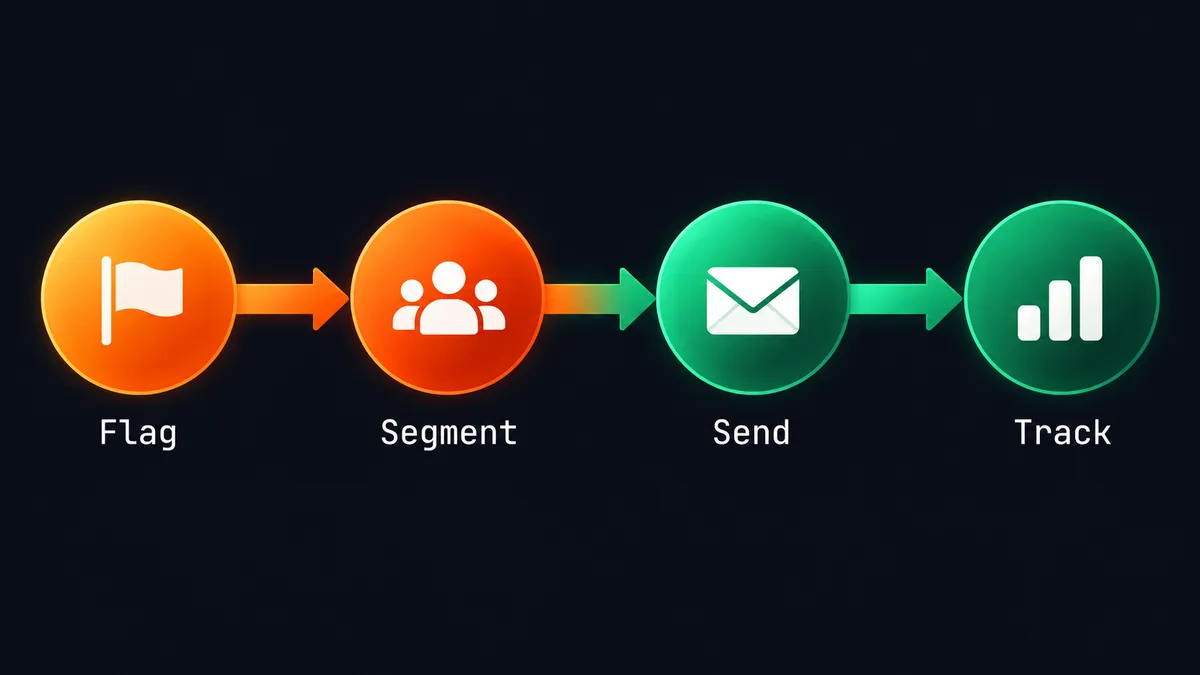
- Flag inactive patients automatically. The system checks the patient list on a schedule and flags anyone who has crossed a gap threshold, instead of someone manually scrolling a spreadsheet.
- Sort each one into a tier. Recently drifted, lapsed, dormant or cold archive, based on the exact gap in days.
- Send the matching sequence. Each tier gets its own channel order and message tone, timed a few days apart rather than all at once.
- Stop and route on reply. The moment a patient responds, the sequence ends and a staff member takes over the conversation instead of another scripted message going out on top of a real reply.
The sequence only works if a reply actually stops it. Nothing turns a willing patient away faster than a second scripted text arriving after they already answered the first one.
Spacing matters as much as wording. Sending every message in a tier at the same hour tends to get caught by carrier spam filters and overwhelms front desk staff if several patients reply at once. Spreading sends across a day or two, and watching the reply inbox in real time rather than checking it once a day, is what separates a chiropractic follow-up automation sequence that actually books visits from one that gets ignored without anyone on staff noticing why.
A short checklist before you send anything
Before the first message goes out, run through this list. Skipping any one of these is the most common reason a reactivation campaign under performs, and most of the mistakes we see come from skipping a step rather than picking the wrong wording.
- Pull the lapsed list by real gap in days, not a rough guess at who “feels” inactive.
- Write messages short enough to read on a phone screen in a few seconds, signed by a real name, not a clinic logo.
- Drop any outcome language. A message promising pain relief or a specific result crosses into regulated clinical advertising territory and is not worth the risk.
- Spread sends across a day or two instead of one single blast, so replies arrive in a manageable stream.
- Assign someone to watch the reply inbox the same day messages go out, since an unanswered reply within a few hours often turns into a lost booking.
- Track reply rate, bookings and show rate per tier separately, not as one blended number that hides which tier is actually working.
- Run the full campaign on a quarterly rhythm rather than monthly, so the lapsed list has time to refill and patients do not get the same message twice in a row.
Why this matters more than chasing new patients
A chiropractic practice spends real money and real front desk time turning a stranger into a new patient: the first call, the intake paperwork, the first visit, the care plan conversation. All of that work is already paid for and sitting in the patient file the day someone goes quiet. Letting that patient fade out without a single structured attempt to bring them back throws away the most expensive part of the acquisition process for the cost of a short text message.
This is also where the two problems connect. Chiropractic no-show reduction and patient reactivation are often treated as separate projects, one about protecting booked appointments and one about winning back lost ones, but they run on the exact same mechanics: a scheduled trigger, a short message, a channel that fits the patient, and a system that stops the moment a human replies. A practice that already runs reminders well is most of the way to running reactivation well too.
The honest limit is worth naming. Automation brings a lapsed patient back to the point of a reply or a booked slot. It does not replace the actual visit, the adjustment, or the relationship that keeps a reactivated patient from lapsing again. The system’s job ends at getting someone back through the door with the least friction possible, and what happens in the room after that is still entirely on the practice, not on any message or sequence that got them there.
Front desk teams already carry recall calls, insurance checks and new patient intake inside a normal day, so a reactivation program that needs daily hand holding rarely survives past its first busy week. The practices that stick with this longest are the ones where the sequence runs on its own and a person only steps in once a real reply shows up, not before.
Doing this yourself vs having it handled
Running this in house is realistic for a practice with staff hours to spare. It means someone owns pulling the lapsed list on a schedule, writing and updating the message sequences for each tier, watching the reply inbox during business hours, and reviewing results every quarter to see what is and is not working. Several of the chiropractic marketing guides covering this exact topic note that most front desk teams already running recall calls, insurance verification and new patient intake do not have the spare hours to also own a structured reactivation program on top of everything else.
Our own Email Outreach Automation runs this kind of sequencing as a standing service rather than a project someone has to remember to repeat. Patients get researched and scored the same way a new prospect would be, sequences run automatically with the sending limits and reply handling built in from day one, and a dashboard shows reply rate and pipeline instead of a vague status update. It is priced at $299 for one time setup and $149 a month, with a 7-day trial and a full refund if it is not working the way it should.
Across H3A, we have delivered 300+ projects and built 30+ automations for small service businesses that needed exactly this kind of outreach handled instead of built from scratch, and a quiet lapsed patient list is one of the most common gaps we find once we actually look at a practice’s own numbers.
What to do next
Pull your own patient list this week and count how many people have not booked in 60, 180 and 365 days. That number alone usually explains more about a slow month than anything happening with new patient inquiries. If the count is small, a short manual push this quarter will likely cover it. If it runs into the hundreds, a one-time push will not keep up, and the sequence needs to run on its own schedule going forward.
If your practice is already working on AI search visibility, our earlier piece on AI search visibility for chiropractors covers the other half of the growth picture, getting found by new patients in the first place, while this one covers keeping the patients you already earned.
FAQ
What is chiropractic patient reactivation automation?
It is a scheduled sequence of texts and emails sent to patients who have stopped booking, grouped by how long they have been inactive, built to bring them back to the schedule without a staff member manually tracking who to contact.
How long does a patient need to be inactive before they count as lapsed?
Most practices use 60 to 90 days as the first checkpoint, since a patient who was on a regular care plan rarely goes that long without a reason. Longer gaps of 4 to 12 months, 1 to 3 years, and 3 or more years each call for their own message.
Does texting lapsed patients actually work better than calling?
Research on patient communication found 85 percent of patients say they are more likely to return to a provider that offers texting, and text messages tend to get read within minutes, while an unexpected phone call from a clinic is often screened or ignored entirely.
Will an automated reactivation campaign feel like spam to patients?
Only if it is run poorly. A short, specific message signed by a real name, sent a reasonable number of times and stopped the moment someone replies, reads as a genuine check in rather than a mass blast. Vague, repeated messages with no stopping point are what actually feels like spam.
How is this different from a one time no-show reminder?
A no-show reminder protects an appointment that is already booked. Reactivation automation reaches patients who never rebooked at all and have fully dropped off the schedule, which is a separate and usually larger group than the people who simply missed one visit.
What does it cost to have this handled instead of built in house?
Our Email Outreach Automation, which includes this kind of sequencing, is $299 for one time setup and $149 a month, with a 7-day trial and a full refund if it does not work the way it should.
Chiropractic patient reactivation automation is not a bigger marketing project, it is a smaller, quieter fix for a gap most practices never measure directly. Pull the real list, sort it into tiers, run a sequence that stops the moment someone replies, and recheck the numbers next quarter. If you would rather have the list building, the sequencing and the reply handling run for you, see what our Email Outreach Automation actually includes and what it costs below.