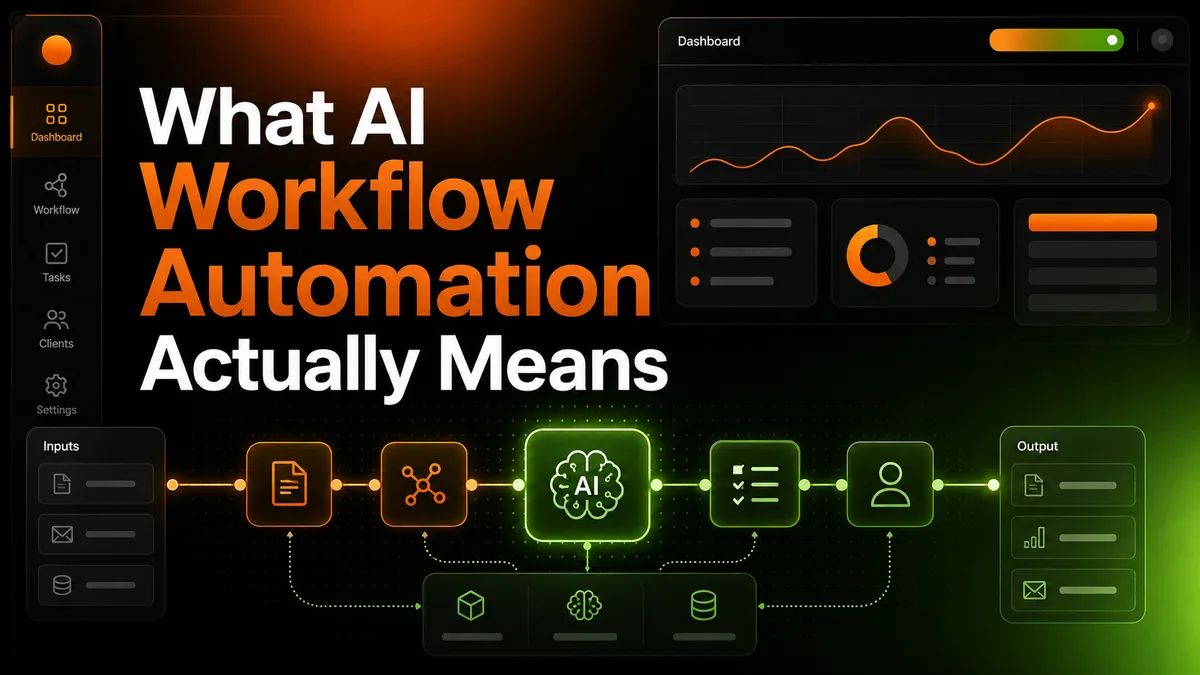
Every tool that connects two apps together now calls itself “AI automation.” A Zapier zap that moves a form entry into a spreadsheet gets the same label as a system that reads an inbox, decides what matters, writes a reply, and sends it without anyone watching. Those are not the same thing, and the difference matters if you’re about to pay someone to build one for you.
We get asked what “AI workflow automation” actually means often enough that it’s worth answering properly, once, instead of in a sales call every time. The short version is that the label has stopped meaning anything specific. It gets applied to a $20-a-month app-connector plugin and to a system that reads real, messy business input and makes genuine decisions with it, and buyers are left to guess which one they’re actually being sold.
Quick answer: AI workflow automation is a system that makes real decisions inside a process, not just one that moves data between apps on a trigger. If a human still has to read the output and decide what happens next every time, it’s app connection, not automation. If the system reads, decides, and acts, and a human only steps in when something genuinely needs judgment, that’s the real thing.
What’s covered
- What people usually mean when they say “workflow automation”
- What AI actually adds on top of that
- Three real signs you’re looking at AI automation, not app chaining
- Where this actually shows up (real running examples)
- A practical checklist before you buy anything called “AI automation”
- Why this distinction actually matters for your business
- What getting this wrong actually costs, in real numbers
- Real mistakes we see businesses make evaluating this
- What to do next
- FAQ
What people usually mean when they say “workflow automation”
Most of what gets sold as workflow automation is app chaining. You set up a trigger in one tool (a new form submission, a new email, a new row in a spreadsheet), and that trigger fires a fixed sequence of steps in another tool. Zapier, Make, and n8n are built around exactly this pattern, and they’re genuinely useful for it. If your process is “when X happens, always do Y,” a chained workflow handles it well and cheaply.
The problem shows up the moment the process needs a decision in the middle. A chained workflow can move a new lead into your CRM. It cannot look at that lead, judge whether they’re actually a fit for what you sell, and write a first message that reads like it was written by a person who read their profile. That step needs judgment, not just movement, and a fixed sequence of triggers has no way to provide it.
This is where a lot of buyers get burned. They pay for “automation,” get a working chain of triggers, and then discover the actual valuable part of the process (the writing, the judgment, the deciding) is still sitting on someone’s desk, untouched.
None of this means chained workflows are a bad choice. For genuinely fixed, repeatable steps (backing up a form submission, notifying a channel when a payment comes in, syncing two calendars) a chained tool is the right, simple, cheap answer, and adding an AI layer on top of a step that never needed judgment in the first place just adds cost and fragility for no real benefit. The mistake isn’t using a chained workflow. It’s calling one “AI automation” when the actual work you needed handled was never the moving part.
What AI actually adds on top of that
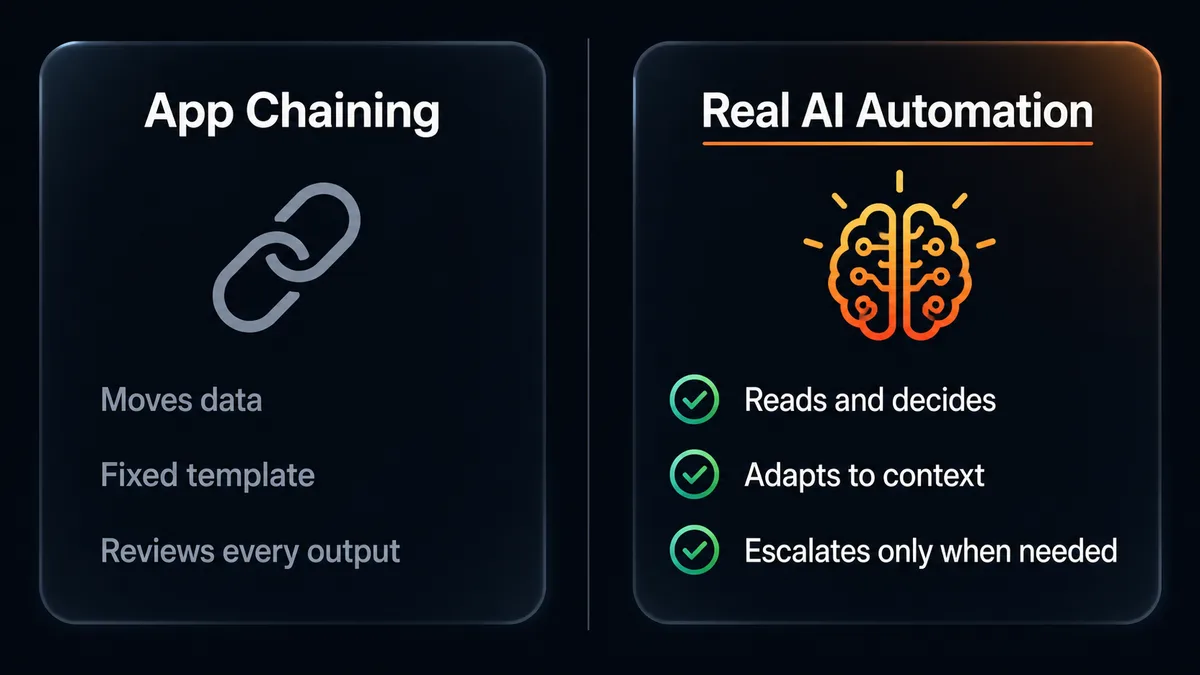
A real AI workflow automation system does three things a chained workflow can’t: it reads unstructured input and understands it, it makes a judgment call based on context instead of a fixed rule, and it produces original output (a message, a piece of content, a decision) rather than just relocating data that already existed.
The real test isn’t whether AI is involved somewhere. It’s whether the system makes a genuine decision, or just moves data faster than a human would have.
Take lead scoring as an example. A chained workflow can tag a lead “hot” if they filled out a specific form field. An AI system can read their LinkedIn profile, their company’s website, and their stated problem, and score them against what your business actually sells, not against one form field someone filled in three months ago. The first approach is a rule. The second is a judgment, made fresh, on real information, every time.
Content is the same pattern. A chained workflow can post a pre-written caption to Instagram on a schedule. It cannot look at what already got posted this month, avoid repeating the same angle, write something specific to today, and generate an on-brand image to go with it. That’s not scheduling. That’s a system doing the actual creative work a person used to do by hand.
Three real signs you’re looking at AI automation, not app chaining

1. It handles input that isn’t already structured
A form field is structured. A free-text reply, a comment, a LinkedIn profile, an inbox full of unsorted messages are not. If a system can only act on data that’s already been sorted into fields, it’s a chain. If it can read something messy and make sense of it, that’s a real capability difference, not a marketing word.
2. It changes its output based on context, not a fixed template
Ask what happens when two inputs are genuinely different. A chained workflow sends the same templated message to every new lead, maybe with a name merged in. A real AI system writes a different message for a solo consultant than it does for a 50-person company, because it actually read the difference between them.
3. A human only steps in for real judgment calls, not routine ones
This is the one that matters most for your actual time. If you still have to review every single output before anything happens, you haven’t automated the work, you’ve automated the busywork around the work and kept the work itself. A real system only escalates to a person when something genuinely needs a human decision (a pricing question, an angry reply, a legal or compliance edge case), not as a default step on every single item.
Where this actually shows up (real running examples)
We’re not describing this in the abstract. Our Email Outreach Automation reads and scores each lead against your specific ICP before writing anything, then writes a genuinely personalized sequence rather than merging a name into a template. Our Social Media Content Automation researches what’s already been posted, avoids repeating the same angle two weeks running, writes the caption, and generates the image, all before anything goes live. Neither of those is a chain of triggers. Both involve a real decision at the center of the process, every single time they run.
That distinction is also the whole reason a done-for-you model makes sense here instead of a self-serve tool. A chained workflow is something you can build once in an afternoon with a no-code tool. A system that reads, judges, and writes needs a real knowledge base about your business behind it, and that knowledge base needs to stay current. That’s not a one-time setup. It’s ongoing work, which is exactly what a monthly service is built to do and a static tool isn’t.
The knowledge base itself is the part that’s easy to skip and expensive to skip badly. A system can only make a real judgment call if it has real, current context to judge against: what your business actually offers, who your real customers are, what’s already been said, what’s worked before and what hasn’t.
A vendor that sets this up once at the start and never touches it again ends up with a system that’s accurate on day one and steadily wrong by month three, because your business keeps changing and the system’s understanding of it doesn’t. That’s the practical reason ongoing research has to be part of the service, not a one-time onboarding step. The judgment stays only as good as how current the knowledge behind it actually is.
A practical checklist before you buy anything called “AI automation”
- Ask what happens with messy input. A free-text reply, an unformatted email, a comment with no structure. If the answer is “it doesn’t handle that,” it’s a chain wearing an AI label.
- Ask for two different real outputs from two different real inputs. If the two outputs are the same template with different names swapped in, there’s no real judgment happening.
- Ask exactly when a human has to step in. “Every time, to approve” is not automation. “Only when something’s genuinely ambiguous” is.
- Ask what happens to the system’s knowledge over time. A one-time-built chain doesn’t improve. A system with a real knowledge base behind it should get better the longer it runs, because it has more of your real business context to work from.
- Check whether the pricing matches a tool or a service. A chained workflow is usually a small one-time build. Something doing real ongoing judgment work is closer to a role than a tool, and should be priced (and delivered) that way.
Why this distinction actually matters for your business
The cost of getting this wrong isn’t just wasted money on the wrong tool. It’s the specific trap of thinking you’ve solved a problem when you’ve only automated the parts of it that were never the hard part. Moving a lead from a form into a spreadsheet was never what was eating your week. Researching that lead, deciding if they’re worth pursuing, and writing something worth reading was. If your “automation” only touches the first part, the actual bottleneck is still sitting exactly where it was before you paid for anything.
This is also, honestly, why the market is confusing right now. Of the 40-plus AI automation agencies we researched before building H3A, almost every one of them uses the same vague language you’re reading past on every other page. Very few publish real pricing, and fewer still show what their system actually does with messy, real-world input versus a clean demo. The label tells you almost nothing. What the system actually does with a genuinely unstructured input is the only thing that tells you anything real.
What getting this wrong actually costs, in real numbers
It’s worth putting real figures next to this instead of leaving it abstract. A fully loaded in-house hire to do outreach or content work by hand, once you count salary, benefits, and training time, typically runs $75,000 to $100,000 a year in the US. A self-serve automation tool that only chains apps together avoids that cost, but it also doesn’t do the actual judgment work, so you’re usually still paying someone’s time to review and finish what the tool started.
Real AI automation, done properly, sits in a different place entirely. Businesses automating genuinely repetitive, judgment-heavy work tend to save somewhere in the range of 10 to 15 hours a week per workflow once it’s actually running, and most small service businesses see it pay for itself within 30 to 90 days rather than dragging on for a year before it’s worth what it cost. That’s not a claim specific to H3A. It’s a pattern that shows up across small businesses that automate the right layer of the work, not just the data-moving layer around it.
The gap between those two outcomes (a chained tool that still needs a person to finish the real work, versus a system that actually finishes it) is the entire reason this distinction is worth understanding before you buy anything, not after.
A chained tool that still needs someone to finish the real work isn’t cheaper. It just moves the cost somewhere less visible.
Real mistakes we see businesses make evaluating this
Judging the demo instead of the messy case. Every vendor’s demo uses clean, cooperative sample data. Ask what happens with your actual last ten real leads, real inbox messages, or real support tickets, not a curated example. The gap between the demo and your real data is where most disappointment lives.
Assuming “AI” in the name means judgment is happening. A tool can call an AI model once, to write a subject line, and still be a chained workflow underneath. Ask specifically what the AI step decides, not just what it touches.
Buying the cheapest option without checking what it actually replaces. A $50-a-month self-serve tool and a $150-a-month done-for-you service aren’t competing for the same job if one only moves data and the other does the actual writing and deciding. Compare what each one replaces in your week, not just the sticker price.
Not asking who maintains it once something changes. A platform your business relies on updates, breaks, or changes its API without warning. A chained workflow you built yourself is yours to fix when that happens. A real service should already have that covered as part of what you’re paying for, not as an extra call you have to make.
What to do next
If you’re evaluating a tool or a vendor right now, run the five-question checklist above on them directly, out loud, before you sign anything. If the answers are vague, that’s the answer. If you’d rather skip the evaluation process entirely and see a real system handle real, messy input for your own business, that’s exactly what a short call with us is for. We’ll show you the actual decision-making, not a demo built to look impressive on a call.
Frequently asked questions
Is Zapier or Make “AI automation”?
Not on their own. Both are genuinely useful tools for moving data between apps on a trigger, and plenty of real automation systems use them as one piece of the underlying plumbing. But the trigger-and-action pattern itself has no judgment built in. The AI part, if there is one, has to be added on top.
How do I know if my business actually needs AI automation, or just a simpler chained workflow?
If your process is “when X always happens, do Y,” a simple chained workflow is genuinely the right, cheaper answer. You only need real AI automation once a step in the process requires reading something unstructured and making a judgment call a fixed rule can’t make.
Can I build this myself with a no-code tool?
You can build the chained parts yourself in an afternoon. The judgment parts (real lead scoring, real personalized writing, real content decisions) are where most self-built systems stall out, because they need an ongoing knowledge base behind them, not a one-time setup.
Does AI automation replace the need for a human entirely?
No, and it shouldn’t try to. The point isn’t removing every human step, it’s making sure a human only gets involved where a real decision is genuinely needed, instead of reviewing every routine output by default.
What does H3A actually automate versus what stays manual?
Research, scoring, writing, and content decisions are automated. Anything that’s a real judgment call outside the system’s scope (pricing exceptions, an angry reply, a legal question) escalates to a real person instead of getting guessed at.
Is this the same as the marketing automation tools I already use?
Marketing automation platforms (email drip sequences, ad retargeting rules) are typically the same trigger-and-action pattern as Zapier, applied to marketing specifically. They’re valuable for what they do, and they run into the exact same wall the moment a step needs real judgment instead of a fixed rule.
The short version: if a system can’t handle messy real input, can’t produce genuinely different output for genuinely different situations, and needs a human to approve every routine step, it’s not automation, it’s a chain with a new label on it. Real AI workflow automation reads, decides, and acts, and only asks for a human when something actually needs one. That’s the bar we build every H3A automation against, and it’s the bar worth holding any vendor to before you pay them, regardless of what the pitch deck calls itself.